NOVA
ARCADE
A retro games console for the ESP32-S3 2.8″ board. Flash it from your browser, drop games onto the SD card and play with a Bluetooth controller.
Version 5b98e3a · Chrome or Edge on desktop · USB-C data cable
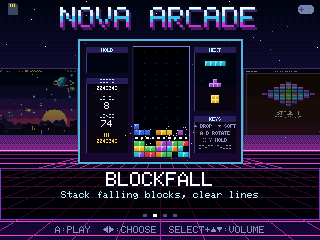
A retro games console for the ESP32-S3 2.8″ board. Flash it from your browser, drop games onto the SD card and play with a Bluetooth controller.
Version 5b98e3a · Chrome or Edge on desktop · USB-C data cable
About five minutes, no software to install.
Plug the board into your computer, press Install on my board above and pick the USB port. If it won't connect, hold BOOT, tap RST, release BOOT and try again.
Download the SD card pack, unzip it and copy the arcade folder to the root of a FAT32 microSD card. Put the card in the board.
On a Stadia controller in Bluetooth mode, hold Y + Stadia for 2 seconds. Pick a game with the D-pad and press A. The first launch of each game takes a few seconds to install.
Thirteen games with original art and music, in the spirit of the classics. Each has Easy, Normal and Hard: pick one on the title screen with ↑/↓. Slower is easier, and each difficulty keeps its own hi-score on the board. No board yet? Play them all in your browser, on a computer or a phone.
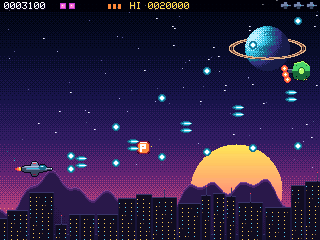
Side-scrolling shoot-'em-up over a synthwave city. Weapon upgrades, shields, bombs and a boss every stage.
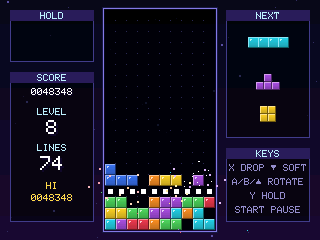
Falling-blocks puzzler with hold, ghost piece, 3-piece preview and proper wall kicks. The music speeds up when the stack gets high.
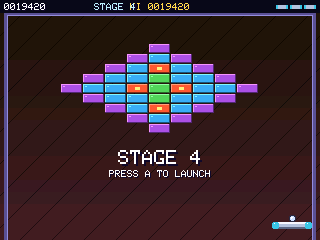
Brick-breaker with 8 hand-made stages, silver, gold and explosive bricks, and power-ups: wide, multi-ball, laser, slow and catch.
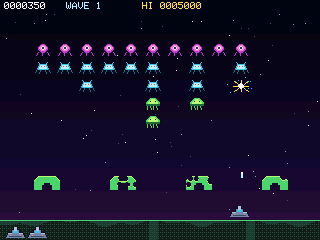
Hold back the marching waves. They speed up as they thin out, shields wear away, and a bonus saucer drifts past.
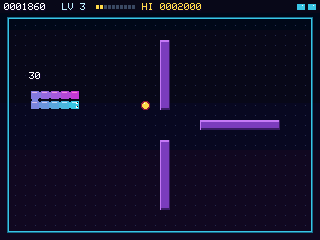
Classic snake with a neon glow. Every level has a new wall layout, and bonus stars appear for a few seconds at a time.
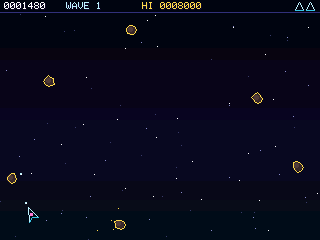
Turn, thrust and fire in a wrap-around field. Big rocks split into smaller ones, and from wave 2 a hunter saucer drops in to take shots at you.
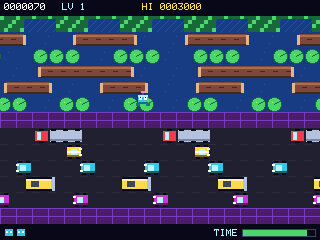
Hop across five lanes of traffic and a river of logs and lily pads, then park in one of the five docks. From level 2 some lily pads sink.
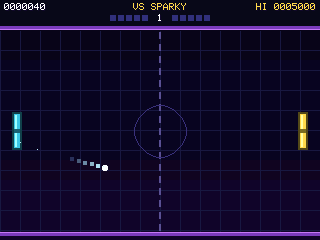
Paddle tennis against a ladder of six CPU rivals. First to 5 wins the match. Hold A as the ball arrives for a power smash.
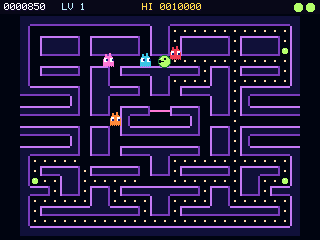
Clear the maze while four wisps hunt you, each in its own way. Power crystals let you turn the tables for a few seconds.
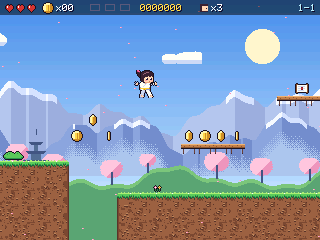
A platformer starring a little judoka. Run, jump and judo-roll across Blossom Hills, Bamboo Grove and Misty Peaks, find three secret scrolls in each, and earn a new belt with every world.
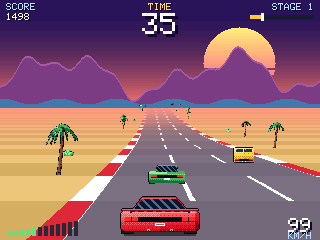
A pseudo-3D road racer. Beat the clock through Sunset Coast, Canyon Run and Neon Night, weave through traffic and reach each checkpoint for more time. Hills, bends and a proper engine roar.
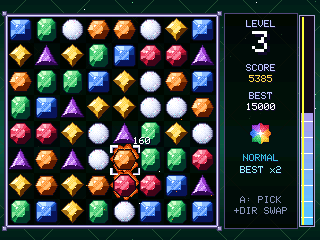
Swap gems to line up three or more. Four in a row makes a flame gem, an L or T a star gem, five a nova. Fill the level bar before it drains away.
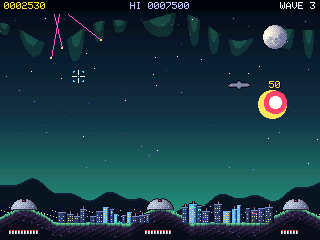
Warheads rain down on six cities. Aim the crosshair and fire interceptors from three bases; their fireballs set off chain reactions. Later waves bring splitting warheads, bombers and satellites.
Built and tested on the LCDWIKI ES3N28P / ES3C28P board.
| Board | ESP32-S3, 16 MB flash, 8 MB PSRAM |
|---|---|
| Screen | 2.8″ ILI9341 IPS, 320×240 |
| Sound | ES8311 codec + speaker |
| Storage | microSD (FAT32) |
| Controller | Bluetooth LE gamepad |
Controllers that work (the ESP32-S3 only has Bluetooth LE):
Classic-Bluetooth pads (PS4/PS5, Switch Pro, 8BitDo) won't pair with the S3.
These work in every game.
| START | Pause menu: resume, volume, quit to menu |
|---|---|
| ↑ / ↓ on a title screen | Difficulty: Easy, Normal or Hard (saved per game) |
| SELECT + ↑ / ↓ | Volume up / down (saved for all games) |
| SELECT + START | Back to the launcher |
| Reset button | Always returns to the launcher |
Every game is a normal Arduino sketch built on the shared ArcadeCore engine.
To add a game to your console, copy its files into /arcade on the SD card:
MyGame.bin the compiled sketch (required)MyGame.png a 160×120 thumbnailMyGame.txt title, description and save id, one per lineUse a USB cable that carries data, not a charge-only one. Hold BOOT, tap RST, release BOOT, then try again. Close anything else using the serial port, such as the Arduino IDE's Serial Monitor.
The card must be FAT32 and contain a folder called arcade at the top level with the .bin files inside. Press A on the board to scan again.
Only Bluetooth LE controllers work. A Stadia controller must first be switched to Bluetooth mode. Flashing the launcher clears old pairings, so pair again with Y + Stadia.
The display speed is set in lib/ArcadeCore/src/arcade/Config.h (TFT_SPI_HZ). 27 MHz is safe on the tested board.